Cursor DESIGN.md: Consistent UI
A practical Cursor review for DESIGN.md workflows: how project rules improve UI consistency, why the editor loop helps, and where drift still appears.

See it in practice
Related DESIGN.md references
Curated directory entries with practical workflows and visual contracts — not blog posts.
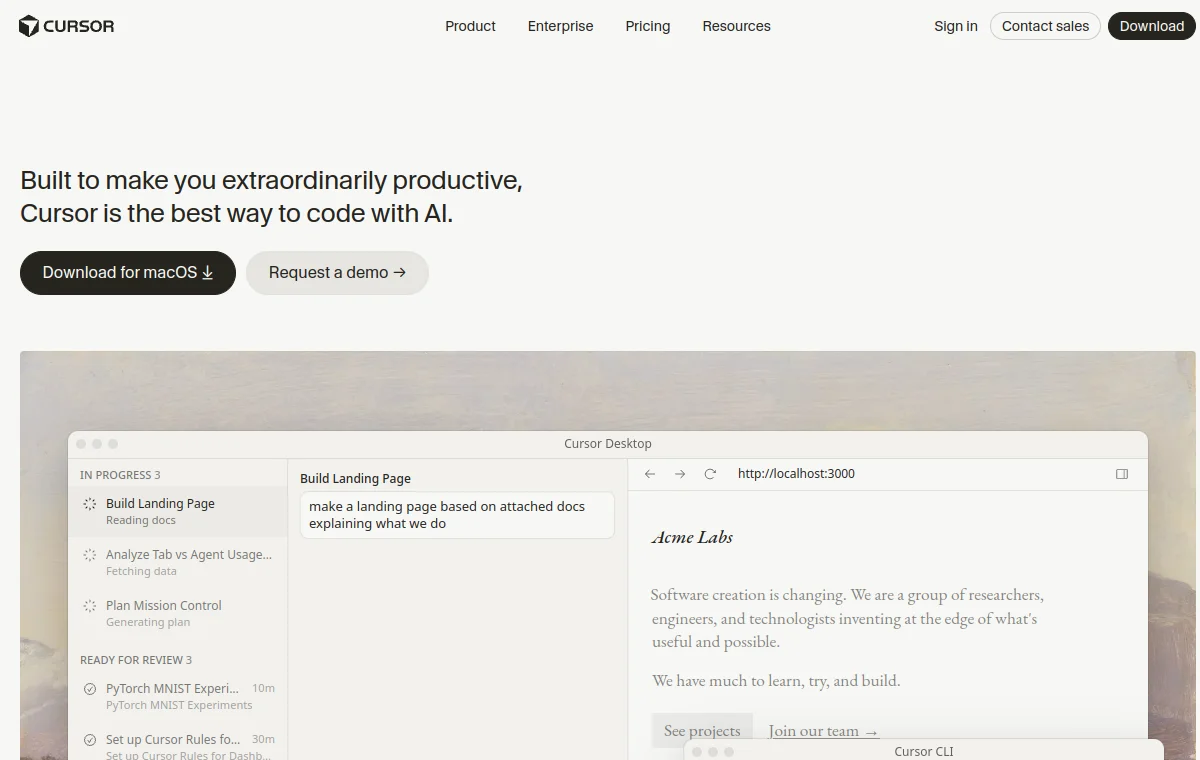
What Cursor is, and the angle of this review
Cursor is an AI-first code editor built on the familiar VS Code base. Its pitch is that the model is woven into the editing surface — inline edits, a chat that can act across files, and autocompletion that predicts your next change. Because you stay inside an editor, the loop between prompting and seeing the result is short, which is exactly the property that matters for interface work. This review looks at how well that loop, and Cursor’s rules system, hold your product to a consistent design.
The verdict up front: Cursor is a comfortable place to do design-consistent UI, mostly because iterating is fast and its rules mechanism gives you a home for a DESIGN.md. The caveats are about discipline — rules only help if they are specific and the agent is actually made to read them.
| Question | Cursor is strong when… | Watch for… |
|---|---|---|
| Visual iteration | You need to see and correct a screen quickly. | Fast manual fixes replace durable rules. |
| Design context | Project rules point to a short, concrete DESIGN.md. | A long or vague ruleset gets skimmed. |
| Production handoff | The existing component system is easy to inspect. | Generated markup bypasses canonical primitives. |
The rules system is where your design lives
Cursor lets you define project rules — standing instructions the agent should follow for your codebase. This is the natural place to point at a DESIGN.md and tell the agent to obey it on any interface change. Set up well, it means design guidance is not something you paste into each chat; it is ambient, applied whenever the agent generates UI.
The important nuance is that a rule pointing at a file is only as effective as the instruction and the file behind it. "Follow our design system" is weak; "Read DESIGN.md and treat its tokens and anti-patterns as binding for any UI change" is strong. Cursor gives you the mechanism, but the specificity is on you — the same truth that governs every agent applies here.
For any UI or styling change, read DESIGN.md first and follow it.
Use its color tokens, type scale, spacing, and components exactly.
Never introduce raw hex values or new spacing steps. Respect the
anti-patterns list; if a task needs to break one, ask instead.
Where it shines
Cursor’s biggest advantage for design work is the feedback loop. You are in an editor next to a running dev server, so you generate a component, glance at the rendered result, and correct in seconds. That immediacy suits design more than almost any other kind of work, because so much of getting an interface right is small visual adjustment that is faster to see than to describe.
- Tight iterate-and-look loop — ideal for the small visual corrections design work is made of.
- Rules system gives a DESIGN.md a persistent home that applies across sessions.
- Inline edits and prediction make applying a repeated pattern across a file quick and low-friction.
- Familiar VS Code surface means the editor, extensions, and preview you already use stay in place.
Where it needs help
The friction is mostly about context and discipline. A long or sprawling ruleset can get skimmed, and rules that are vague get quietly ignored in favor of the model’s defaults — you will see a generic blue or an off-scale radius creep back in. The fix is to keep the design rule short, specific, and reinforced in the anti-patterns section of your DESIGN.md.
The fast loop also has a shadow side: because correcting is so easy, it is tempting to fix each off-design result by hand in the moment and never update the underlying rule. That gets you a good screen today and the same mistake tomorrow. Treat every repeated correction as a signal to tighten DESIGN.md rather than a thing to keep re-doing. As with any agent, a stale rules file is worse than none, because it is applied with full confidence.
Verdict: who it fits
Cursor fits people who think visually and want to stay close to the rendered result while an agent does the typing. The short loop is genuinely pleasant for UI, and the rules system, used with discipline, keeps that speed from turning into inconsistency. If your design instinct lives partly in your eye rather than only in a written spec, the ability to see and correct quickly is a real advantage.
The thing to guard against is letting the ease of manual correction substitute for maintaining your rules. Pair Cursor’s fast loop with a specific, current DESIGN.md and you get the best of both — quick iteration and output that stays on-system. Skip the file and lean only on in-the-moment fixes, and you get a tidy screen today and drift by next week.
Frequently asked questions
How do I make Cursor follow my DESIGN.md?
Add a project rule that instructs the agent to read DESIGN.md and treat its tokens and anti-patterns as binding for any UI change. Keep the rule short and specific so it is not skimmed.
Is Cursor better than a terminal agent for design?
It offers a tighter visual feedback loop, which suits the small corrections design work involves. A terminal agent is stronger at applying written rules across a whole repo. Many teams use both.
Why does Cursor sometimes ignore my design rules?
Usually the rule is too long or too vague, so the model falls back on its defaults. Tighten the wording, list the prohibition in your anti-patterns, and keep the ruleset lean.
Have a DESIGN.md worth sharing?
Submit your DESIGN.md to the directory and help other makers give their coding agents better taste.
Share your DESIGN.md →Related articles
Claude Code DESIGN.md: Consistent UI
A Claude Code review for DESIGN.md workflows: where repository context improves UI consistency, where the terminal agent needs help, and who it fits.
Codex DESIGN.md: Consistent UI
A practical Codex review for DESIGN.md workflows: pair AGENTS.md with visual rules, use repository context, and keep human visual review in the loop.
v0 DESIGN.md: Consistent UI
A practical v0 review for DESIGN.md workflows: use fast visual exploration without losing product rules, reusable components, and a reliable review loop.