Codex DESIGN.md: Consistent UI
A practical Codex review for DESIGN.md workflows: pair AGENTS.md with visual rules, use repository context, and keep human visual review in the loop.

See it in practice
Related DESIGN.md references
Curated directory entries with practical workflows and visual contracts — not blog posts.

Codex workflow reference
A repository-level pattern for pairing engineering instructions with DESIGN.md visual constraints.
Open directory reference →
DESIGN.md for Codex
A practical Codex-oriented visual contract from the directory.
Open directory reference →
Vercel DESIGN.md reference
A production-style reference for turning interface decisions into explicit rules.
Open directory reference →The short verdict
Codex is strongest when design decisions live in the repository and the work needs to span files, components, and engineering rules. It is not a substitute for visual judgement: the developer still needs a rendered preview, a clear component system, and a human decision about taste.
The verdict up front: Codex fits teams that want design consistency to behave like an engineering constraint — versioned, reviewable, and applied across the codebase. It is weaker as a zero-context visual generator for someone who wants a finished interface without the work of specifying what "finished" means.
Why Codex benefits from a DESIGN.md
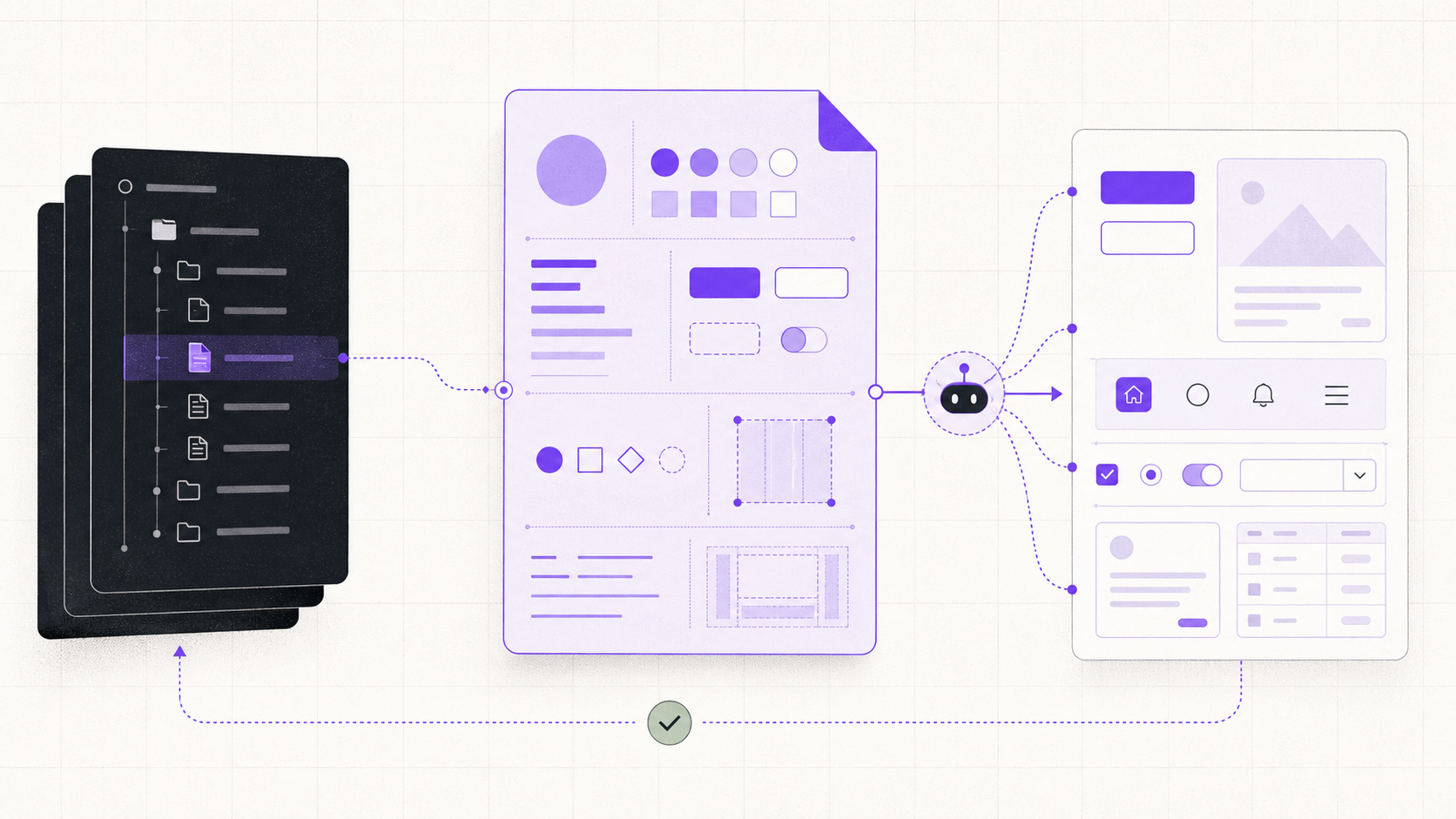
When AGENTS.md is part of the repository instruction scope, it is the natural place to reference DESIGN.md: AGENTS.md tells Codex how to navigate, test, and verify work, while DESIGN.md supplies the visual rules before UI files are changed.
The split matters. AGENTS.md handles execution: where files live, how to run tests, when to stop and ask. DESIGN.md handles output: which tokens to use, which patterns are canonical, which choices are forbidden. Together they form a complete contract. Codex without either drifts toward generic defaults; Codex with both has enough context to stay on-system.
Where it is unusually good at UI consistency
Codex shines in multi-file work. A settings page that touches three components, a new route that needs consistent layout, a refactor that updates imports across the project — these are places where the repository-wide view helps. DESIGN.md gives the agent the visual contract to apply across all those files.
- Repository-wide context — Codex sees the codebase structure and can apply DESIGN.md rules across multiple files and routes.
- Repeatable instruction hierarchy — an explicit AGENTS.md → DESIGN.md pointer makes the setup easier to reproduce across sessions.
- Good fit for component system work — Codex can refactor, rename, and update patterns while keeping visual decisions intact.
- Reviewable diffs — changes are surfaced as git-ready edits, making it easier to catch visual drift before it ships.
For UI tasks, read DESIGN.md before editing.
Reuse existing components and tokens.
After implementation, render the route and check loading,
empty, error, responsive, and keyboard states.
Where the human still has to lead
A text contract does not automatically produce good taste. Codex can follow a DESIGN.md exactly and still produce output that looks correct by the rules but off in execution. The radius might match, the color might be exact, and the spacing might follow the scale — yet the result can still feel generic or slightly wrong.
This is where visual inspection and browser QA remain essential. The developer needs to render the result, compare it against the intent, and decide whether the rules captured the taste. If the same correction keeps appearing in review, that correction belongs in DESIGN.md. If the rules are vague, tighten them. The loop is read → plan → implement → render → compare → update the rule if the same correction repeats.
A practical review workflow
The workflow that works: keep DESIGN.md at the repo root, reference it from AGENTS.md with an explicit instruction to read and follow it, and treat every recurring correction as a signal to tighten the file.
Start the session by confirming the agent has loaded both files. Prompt for UI work with a reminder to respect the tokens and anti-patterns. Review the diff before accepting, looking for raw values that should be tokens and patterns that drift from the canon. After a few sessions, the file accumulates enough specificity that the output lands closer to right on the first pass.
Keep the review boundary explicit: the agent can verify that a token or component rule was applied, but a person still decides whether the hierarchy feels right in the rendered screen. Codex is most useful when it makes that judgement easier to inspect, not when it pretends the judgement has disappeared.
Verdict: who it fits
Codex is best for teams that already have a component system and want the agent to work within it. The value is in applying known rules across new work, not in inventing a design system from a blank slate. If your product has clear tokens, a defined spacing scale, and component patterns you consider canonical, Codex can extend those patterns reliably.
It is less suited for exploratory visual work where the goal is to discover what looks good. The agent follows rules; it does not exercise taste. For exploration, other tools offer a tighter visual feedback loop. For disciplined extension of a defined system, Codex paired with AGENTS.md and DESIGN.md is a strong combination.
The best implementation boundary is explicit: let Codex handle repository inspection, planning, multi-file edits, and repeatable checks; let the human own final visual judgement. DESIGN.md becomes the shared evidence for that review, not a promise that every aesthetic choice can be automated.
Frequently asked questions
How do I make Codex read my DESIGN.md?
Reference it from the AGENTS.md file that is in scope for the repository, with an instruction to read and follow it for UI work. Confirm the instruction is loaded before accepting the first change.
What is the difference between AGENTS.md and DESIGN.md?
AGENTS.md governs execution — how to navigate, test, and verify. DESIGN.md governs output — tokens, patterns, and anti-patterns. Together they give Codex the full context to work within your system.
Why does Codex sometimes produce generic-looking UI?
Usually the DESIGN.md rules are too vague or the anti-patterns section is missing. Tighten the wording, add specific constraints, and list the things you never want to see.
Have a DESIGN.md worth sharing?
Submit your DESIGN.md to the directory and help other makers give their coding agents better taste.
Share your DESIGN.md →Related articles
Claude Code DESIGN.md: Consistent UI
A Claude Code review for DESIGN.md workflows: where repository context improves UI consistency, where the terminal agent needs help, and who it fits.
v0 DESIGN.md: Consistent UI
A practical v0 review for DESIGN.md workflows: use fast visual exploration without losing product rules, reusable components, and a reliable review loop.
Cursor DESIGN.md: Consistent UI
A practical Cursor review for DESIGN.md workflows: how project rules improve UI consistency, why the editor loop helps, and where drift still appears.